Switch off the Menu Bar in Grid for iPad
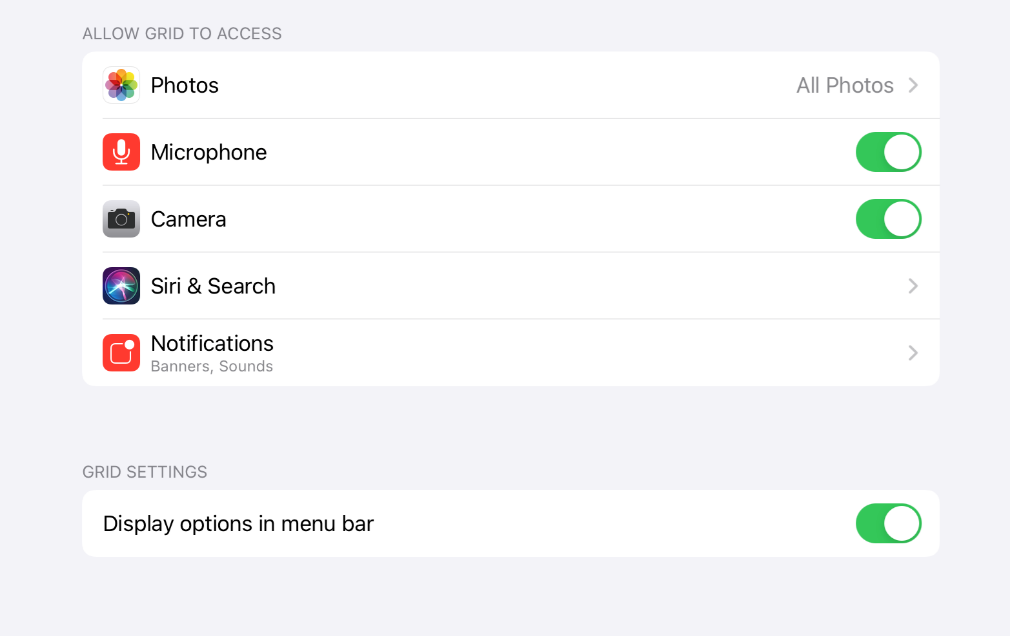
To prevent access to the settings and Edit mode in Grid for iPad, you can toggle the menu bar options off. These settings are not found in Grid for iPad, but in the iOS settings app.
- Open the iPad Settings app (grey cog)

- Scroll to the bottom of the options on the left hand side and tap Grid.

- You will see Grid’s access permissions (for iOS features). Below this you will see Grid Settings and a toggle switch labelled Display options in menu bar, this will allow you to show or hide the options in Grid for iPad.
Related Articles
How to Turn on Assistive Access on the Nuvo
Step 1: Start Assistive Access setup Go to Settings > Accessibility > Assistive Access, tap Set Up Assistive Access, then tap Continue. Step 2: Verify the Apple Account Make sure that the Apple Account shown belongs to the person who will be using ...Easy Click for Eyegaze-Pro Mode
Using Loctite to Secure Screws on Nuvo 10.9" Case
Securing Case Screws with Loctite 425 Assure Follow these steps to properly secure the case screws using Loctite 425 Assure. Materials Needed Loctite 425 Assure Case screw Allen 6-hex H2.5 mm driver Step 1: Apply Loctite Apply one small drop of ...Adding a Personal Phone Number (MFA)
Adding a Personal Phone Number: Upon receiving your RM Speech device, please add a personal phone number to the device account that you will have access to. Please follow the steps below. You will need access to a computer that has Google Chrome as a ...RM Speech Inspire and Nuvo Device Comparison Chart